

Current |  |
EMA3D allows setting electric or magnetic current distributed across geometry as an excitation source. The locations of the current sources are specified by identifying geometry or nodes where the source is tobe applied, with additional data provided to specify the source characteristics.
 Instructions
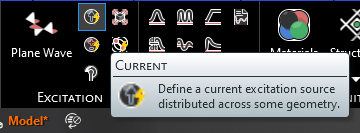
Click
 Current within the Excitations section under the EMA3D tab in the ribbon.
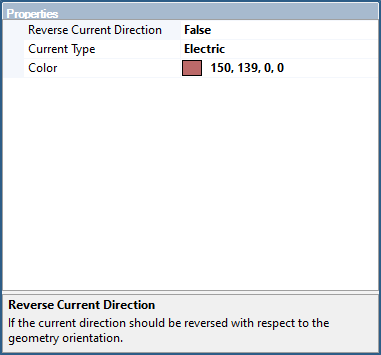
In the Properties Panel, adjust the current source properties as desired.
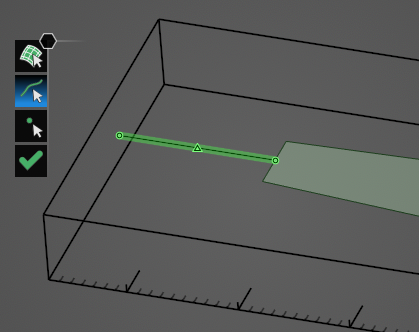
Use the appropriate selection tool (i.e.,
 ,
, , or
, or ) to select the geometry to which to assign the current source definition. Note that the geometric entity used for the source should not have a material definition assigned to it.
Click OK
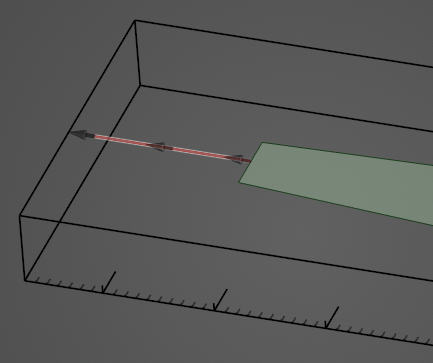
 to complete the current source definition. The current source will be recolored in the model window. For a line source, the flow direction of the current will be denoted by gray arrows on the excited geometry.
The excited geometry will be recolored in the model window (users may need to click elsewhere in the model window to remove the highlighting). Additionally, for a line source, the flow direction of the current will be denoted by gray arrows on the excited geometry.
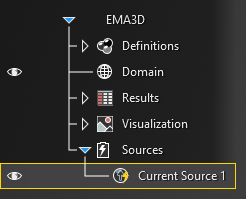
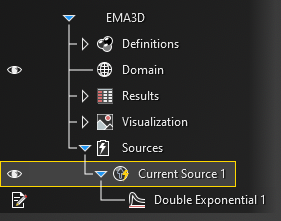
The current source will be added to the Simulation Tree under the Sources node as Current Source. The yellow warning label attached to it indicates that the source needs a signal attached to it.
Instructions on adding signals can be found here. Once a signal is attached to the source, the yellow warning label will disappear.
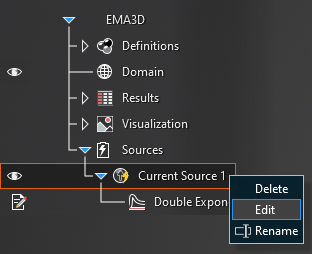
To edit the current source at any time, right click Current Source at any time in the Simulation Tree.
 General
Entry | Meaning |
|---|---|
Name | Current source name. |
Color | Color to use when rendering the model. |
Current Type | Type of current source, electric or magnetic. |
Vector Direction | Vector direction of current flow. |
Reverse Current Direction | If the current direction should be reversed with respect to the geometry orientation. |
ScalingEntry | Meaning |
|---|---|
Override Direction | The override direction |
X | Scale in X |
Y | Scale in Y |
Z | Scale in Z |
See AlsoOther Resources
EMA3D – © 2026 EMA, Inc. Unauthorized use, distribution, or duplication is prohibited.